
Before you enable billing
Make sure these pieces are already in place:- Your agency billing setup is configured
- Stripe Connect is connected for the owner workspace
- The target client organization already exists
Enable billing for an organization
1
Open Clients
Go to the
Clients area in your whitelabel dashboard.2
Manage the organization
Find the organization you want to update and click 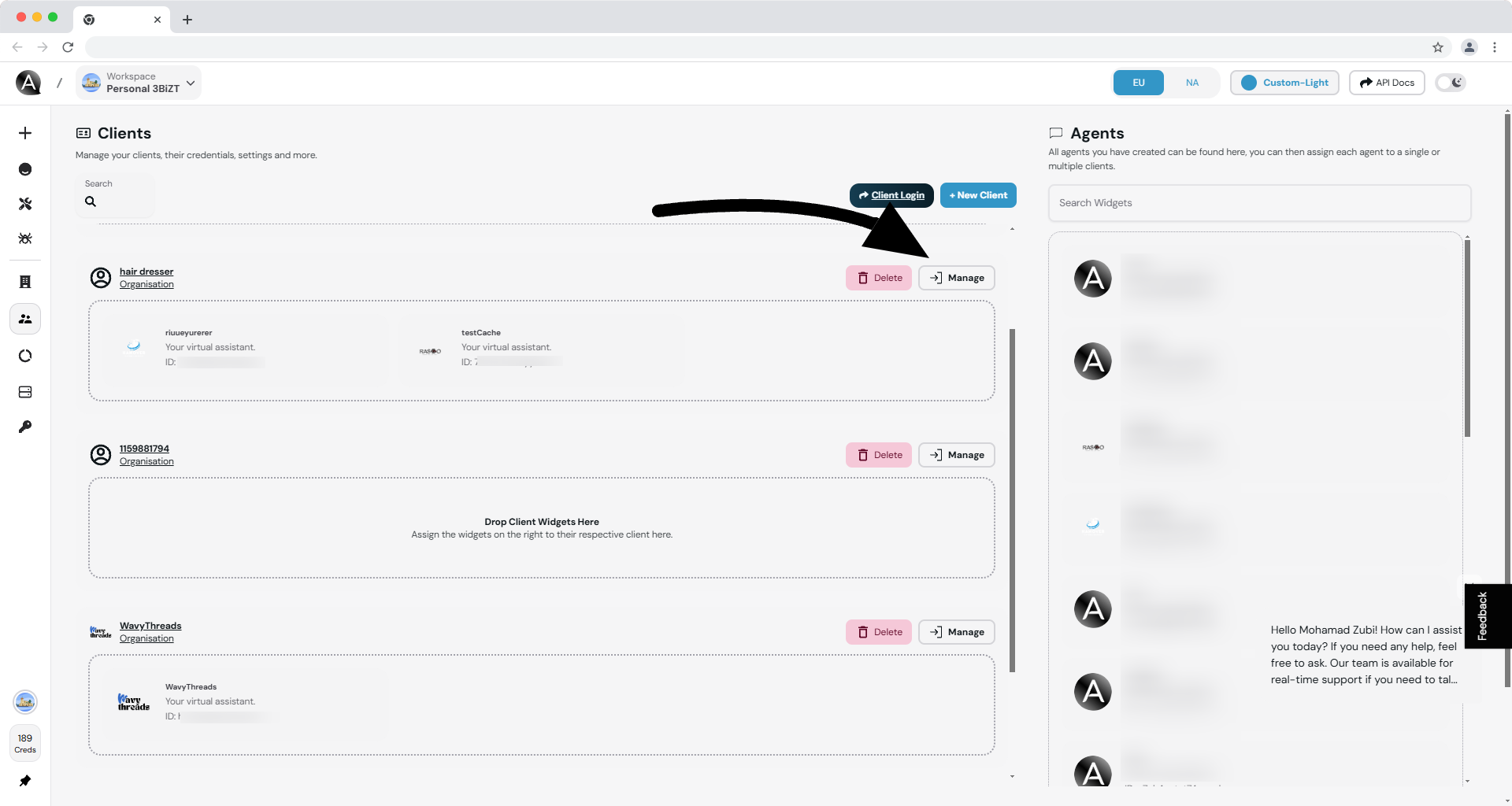
Manage.3
Open Org Info
Open the
Org Info panel for that organization.4
Turn on billing
Scroll to the billing-related settings and enable billing for the organization.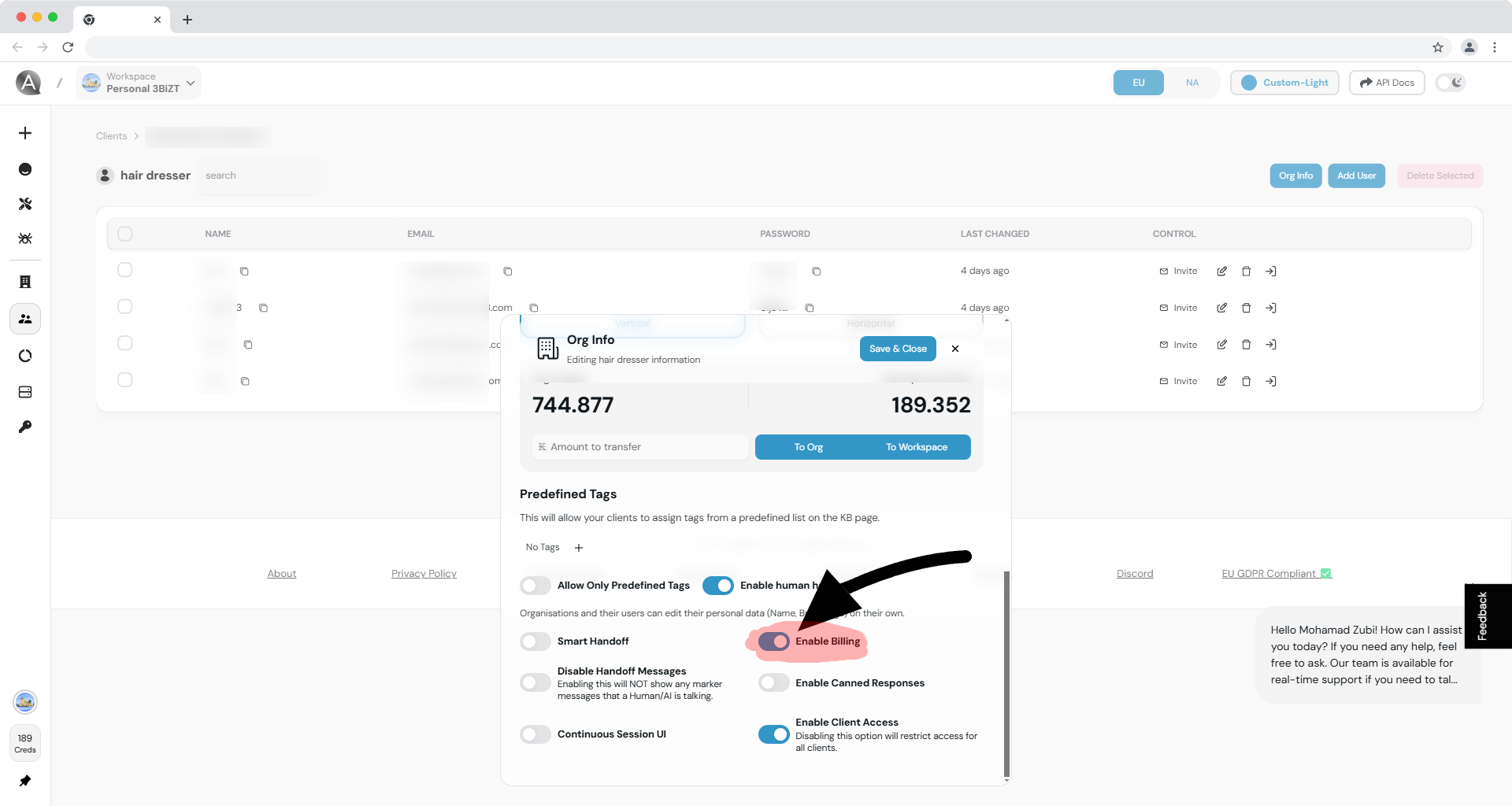
What this changes
Once billing is enabled, the client organization can access billing-related UI inside the whitelabel dashboard, depending on your agency configuration and subscription setup. This may include:- Viewing subscription or billing details
- Accessing credit or usage information
- Managing billing-related actions exposed in the client dashboard
Billing activation at the organization level does not replace the agency-wide Stripe setup. It only exposes billing functionality to the selected client organization.
Frequently asked questions
Can I disable billing later?
Can I disable billing later?
Yes. You can return to the organization’s settings and turn billing off again if you no longer want the client to manage billing through the dashboard.
Does enabling billing automatically create a subscription?
Does enabling billing automatically create a subscription?
No. Billing activation controls access to billing-related functionality. Your actual subscription and checkout flow still depends on your agency plan setup and pricing flow.
Do I need Stripe Connect first?
Do I need Stripe Connect first?
Yes. If your agency billing setup is not complete, client billing features will be limited or unavailable.
Related documentation
Billing Overview
Understand the full whitelabel billing model, including plans and subscriptions.
Billing FAQ
Review common billing questions and expected client behavior.
Managing Organizations
See how organization settings fit into the broader client management workflow.
Embeddable Pricing
Learn how clients subscribe through your public pricing flow.