
Overview
The @tixae-labs/react-voice-orb package provides a React component that renders a voice orb widget. This component uses WebRTC for voice calls and WebGL for rendering the animated orb. It is designed for use in React applications and provides an easy-to-integrate solution.Installation
Install the package using pnpm or npm:Usage
Prerequisites
- Navigate to the Convocore Dashboard and create an agent.
- Use the agent id and region parameters to start a voice call from the URL:
- agentId - The agent id is a unique identifier for the agent you want to call.
- region - The region is the region of the agent you want to call.
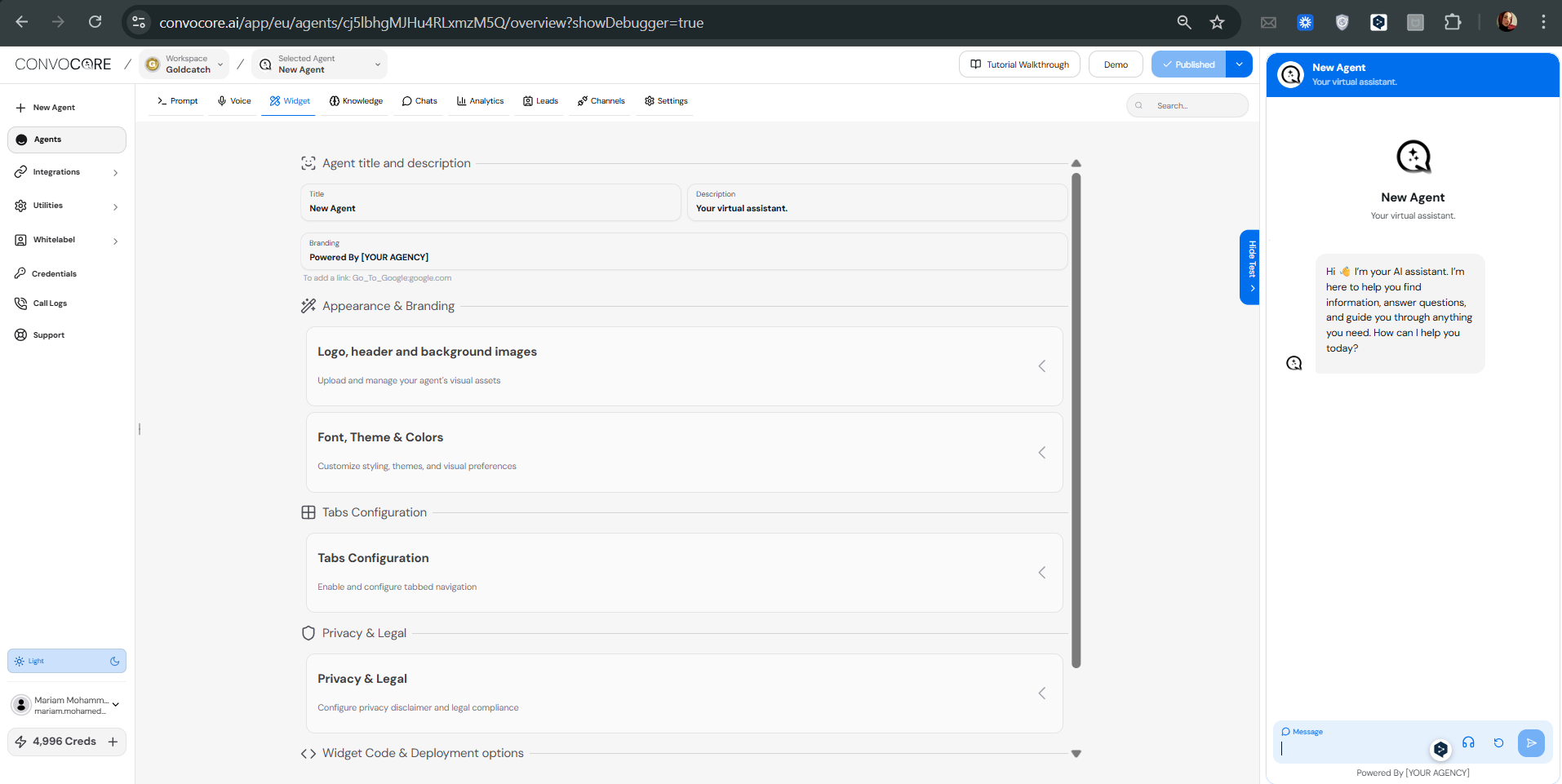
- The agentId is
cj5lbhgMJHu4RLxmzM5Qand the region iseu.
Example usage with NextJS 13+ (App Router + TypeScript).
- Wrap the page/component with the
VoiceProviderandOrbThemeProvidercomponents.
Replace “agentId” and “region” with values from your Convocore Dashboard.
- Use the
useAIVoicehook and theAudioAnimationOrbcomponent to control the call and display the orb.
Sending Extra Messages to the Agent
You can append messages to the conversation by passingoptions parameters to .init() method, in addition to overriding tools or variables for the agent.
Notes:
- This packages uses WebRTC to make the voice call, any browser that doesn’t support that might not be compatible with this package.
- We use WebGL to render the orb, so it might not work on all devices/browsers.
If you have a bug report please open an issue on the GitHub
Repository.