> ## Documentation Index
> Fetch the complete documentation index at: https://docs.convocore.ai/llms.txt
> Use this file to discover all available pages before exploring further.
# Voice Introduction
> Learn how to use the voice feature to transcribe speech to text, generate speech, and make phone calls.
Welcome to the **Voice** documentation! This feature empowers your application with robust **voice capabilities**, including speech transcription, speech generation, and seamless phone call integration.
Whether you want to transcribe spoken words into text, generate human-like speech responses, or integrate voice calls through Twilio, the **Voice Suite** provides all the tools you need to build immersive and interactive voice experiences.
***
## 🚀 Why Use Voice Capabilities?
The Voice feature is designed for businesses and developers looking to enhance their applications with **state-of-the-art voice technology**. Here are some key benefits:
* **Real-Time Transcription**: Convert user speech into text instantly.
* **Lifelike Speech Generation**: Generate high-quality, human-like audio responses using providers like **ElevenLabs**.
* **Customizable Integrations**: Use voice calls seamlessly through **Twilio** with full setup support.
* **Flexible Configuration**: Fine-tune settings like *Patience Factor*, *Background Noise Simulation*, and more to meet your app's needs.
***
## 📊 Key Features
The **Voice Suite** comes packed with powerful capabilities:
### 1. Transcriber
* Convert user speech to text in **real time**.
* Powered by providers like **Deepgram** with customizable parameters (e.g., *Patience Factor*).
### 2. Speech Generation
* Generate natural, human-like audio responses.
* Integrate with providers like **ElevenLabs** and simulate realistic environments such as **Restaurant Noise**.
### 3. Phone Integration
* Integrate phone numbers using **Twilio** for seamless inbound/outbound calls.
* Manage purchased numbers and configure your own Twilio account.
### 4. Advanced Settings
* Enable web calling for browsers.
* Record calls for monitoring purposes (non-HIPAA compliant).
* Fine-tune API integrations using **Server URLs** and secure tokens.
### 5. Voice Library
* Choose from the top 10 featured voices provided by **ElevenLabs**.
* Explore voices from all available providers based on the use cases you select.
***
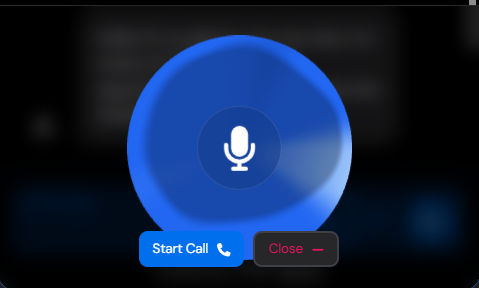
## 📷 Visual Overview
Here’s a quick visual representation of what the agent would look like:
 ***
## 🔗 Next Steps
Ready to dive in? Here’s how to get started:
Learn the flow and technical details.
Follow step-by-step instructions to integrate Twilio and Web Calling.
Explore advanced options to customize your setup.
***
## 💬 Need Help?
If you have any questions or run into issues, check out our **FAQs** or reach out to our support team.
***
*Let’s bring your voice-enabled application to life!* 🚀
***
## 🔗 Next Steps
Ready to dive in? Here’s how to get started:
Learn the flow and technical details.
Follow step-by-step instructions to integrate Twilio and Web Calling.
Explore advanced options to customize your setup.
***
## 💬 Need Help?
If you have any questions or run into issues, check out our **FAQs** or reach out to our support team.
***
*Let’s bring your voice-enabled application to life!* 🚀