> ## Documentation Index
> Fetch the complete documentation index at: https://docs.convocore.ai/llms.txt
> Use this file to discover all available pages before exploring further.
# Usage Tab
> The **Usage Page** in [Convocore](https://convocore.ai/) provides detailed insights into how resources like credits and tokens are consumed across various agents and users. This page is a powerful tool for monitoring performance and optimizing costs.
## Overview
This page displays critical metrics, visualizations, and logs that help administrators and developers understand resource usage in the platform. The insights are categorized into the following sections:
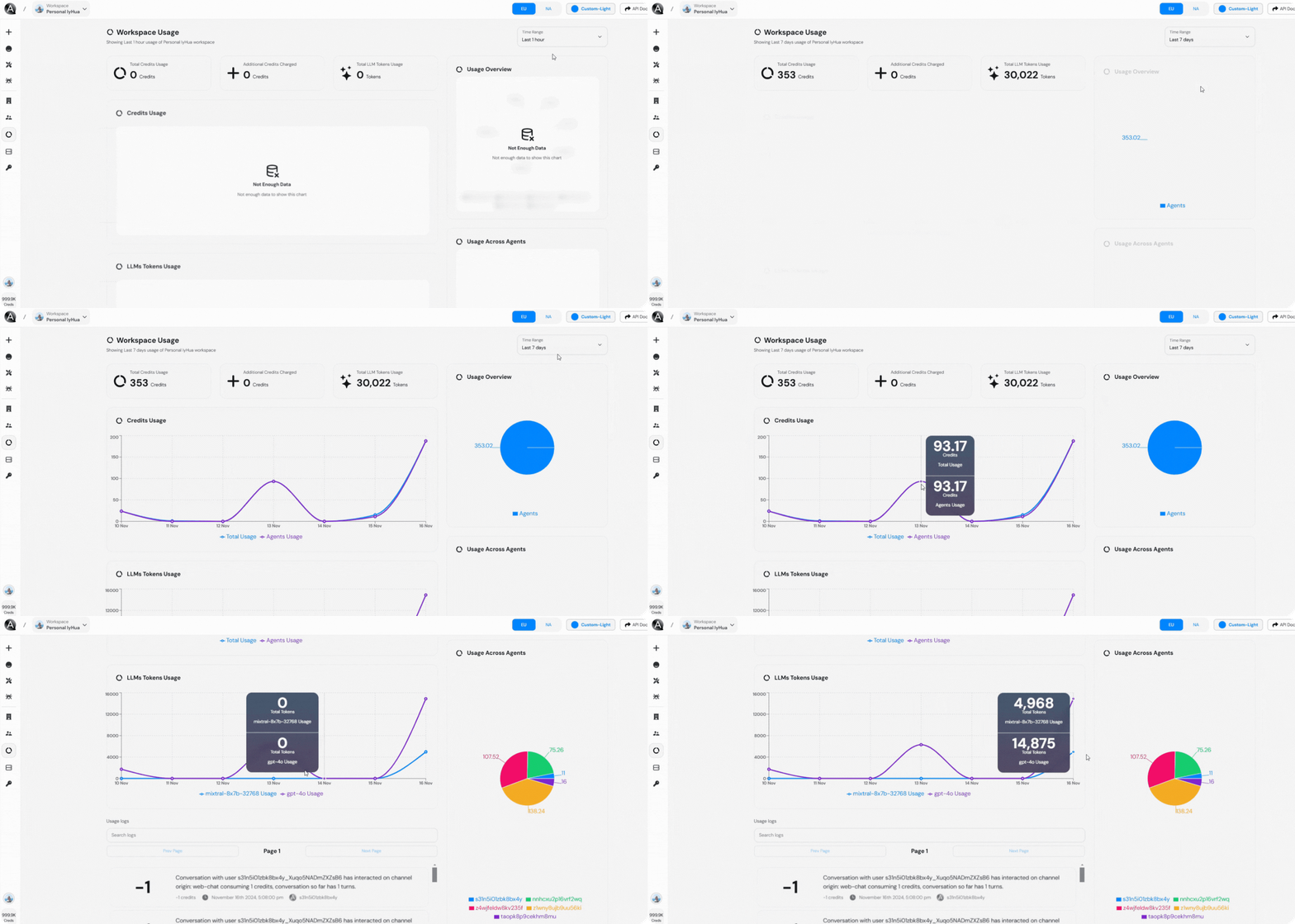 ### **Top Metrics**
At the top of the page, you’ll find an overview of key usage statistics:
* **Total Credits Usage**: The total number of credits consumed within the selected time frame.
* **Additional Credits Charged**: Indicates any extra credits incurred beyond the allocated plan.
* **Total LLM Tokens Usage**: Shows the total number of tokens processed by the language models.
Credits are deducted for each interaction with the chatbots based on the complexity of the request, the LLM model, and the number of tokens used.
***
### **Credits Usage Graph**
This graph provides a visual representation of credit consumption over time:
* **Purple Line**: Represents the total usage across agents.
* **Blue Line**: Indicates specific agents' usage patterns.
Hovering over data points in the graph will reveal exact credit usage at different timestamps.
***
### **LLMs Tokens Usage Graph**
This chart illustrates the number of LLM tokens consumed, categorized by specific models.
High token usage may indicate complex conversations or increased chatbot traffic. Monitor this section closely to manage costs.
***
### **Usage Overview (Pie Chart)**
This chart displays the percentage distribution of resource consumption across agents:
* **Blue Section**: Represents the primary agent with the highest usage.
Use this section to quickly identify the most active agents.
***
### **Top Metrics**
At the top of the page, you’ll find an overview of key usage statistics:
* **Total Credits Usage**: The total number of credits consumed within the selected time frame.
* **Additional Credits Charged**: Indicates any extra credits incurred beyond the allocated plan.
* **Total LLM Tokens Usage**: Shows the total number of tokens processed by the language models.
Credits are deducted for each interaction with the chatbots based on the complexity of the request, the LLM model, and the number of tokens used.
***
### **Credits Usage Graph**
This graph provides a visual representation of credit consumption over time:
* **Purple Line**: Represents the total usage across agents.
* **Blue Line**: Indicates specific agents' usage patterns.
Hovering over data points in the graph will reveal exact credit usage at different timestamps.
***
### **LLMs Tokens Usage Graph**
This chart illustrates the number of LLM tokens consumed, categorized by specific models.
High token usage may indicate complex conversations or increased chatbot traffic. Monitor this section closely to manage costs.
***
### **Usage Overview (Pie Chart)**
This chart displays the percentage distribution of resource consumption across agents:
* **Blue Section**: Represents the primary agent with the highest usage.
Use this section to quickly identify the most active agents.
***
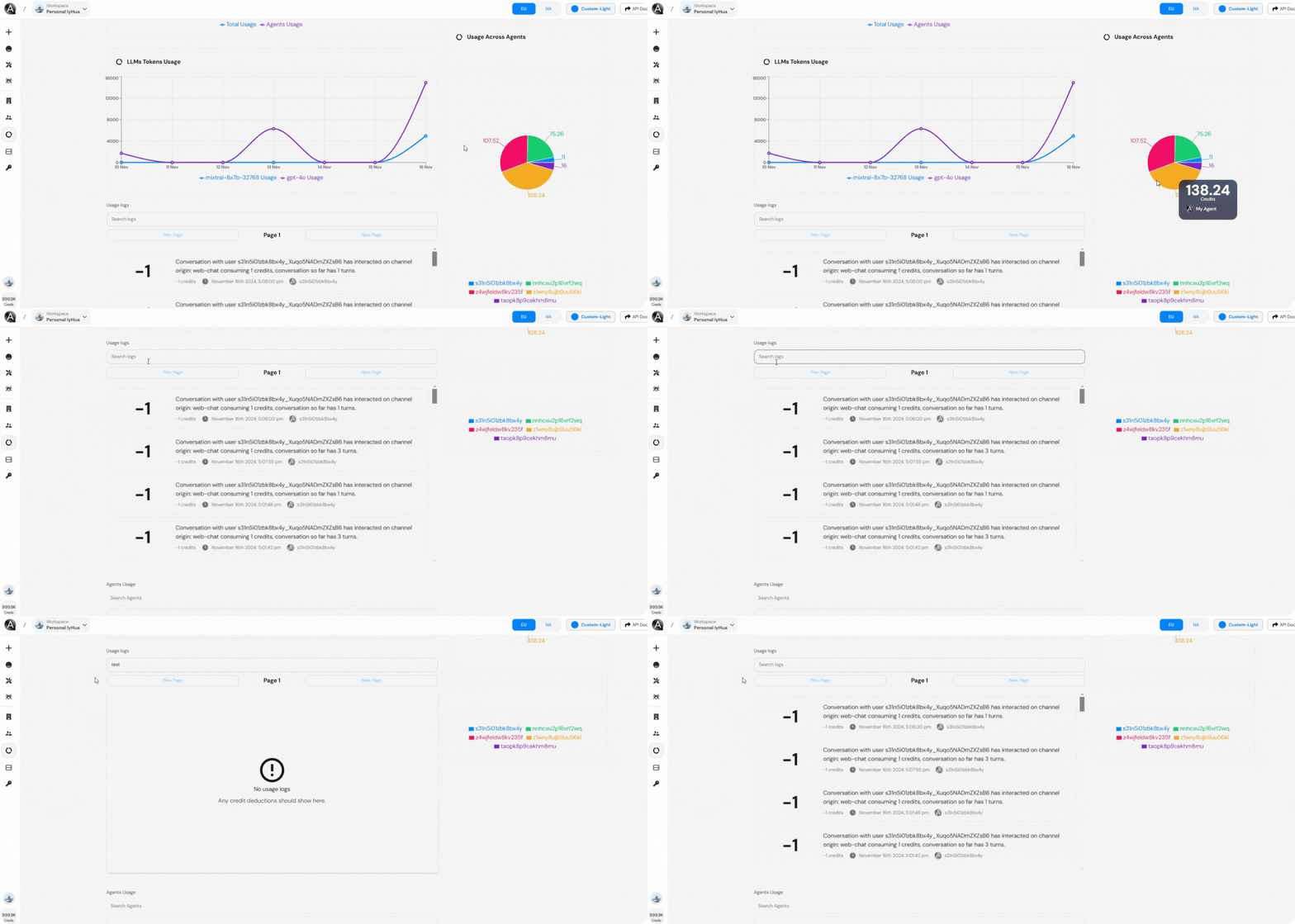 ### **Usage Across Agents (Pie Chart)**
This pie chart breaks down the usage by individual agents:
* Each color represents a specific agent.
The legend below the chart links colors to agents for easy identification.
***
### **Usage Logs**
A detailed log of interactions is displayed here, providing transparency into resource utilization:
* **Log Details**:
* Agent ID
* Interaction Type (e.g., channel origin)
* Credits consumed
* Conversation length (in terms of turns)
**Example Log Entry**\
`Conversation with user s3fn3ObixB...`
* Credits Consumed: `1`
* Conversation Length: `5 turns`
***
### **Usage Across Agents (Pie Chart)**
This pie chart breaks down the usage by individual agents:
* Each color represents a specific agent.
The legend below the chart links colors to agents for easy identification.
***
### **Usage Logs**
A detailed log of interactions is displayed here, providing transparency into resource utilization:
* **Log Details**:
* Agent ID
* Interaction Type (e.g., channel origin)
* Credits consumed
* Conversation length (in terms of turns)
**Example Log Entry**\
`Conversation with user s3fn3ObixB...`
* Credits Consumed: `1`
* Conversation Length: `5 turns`
***
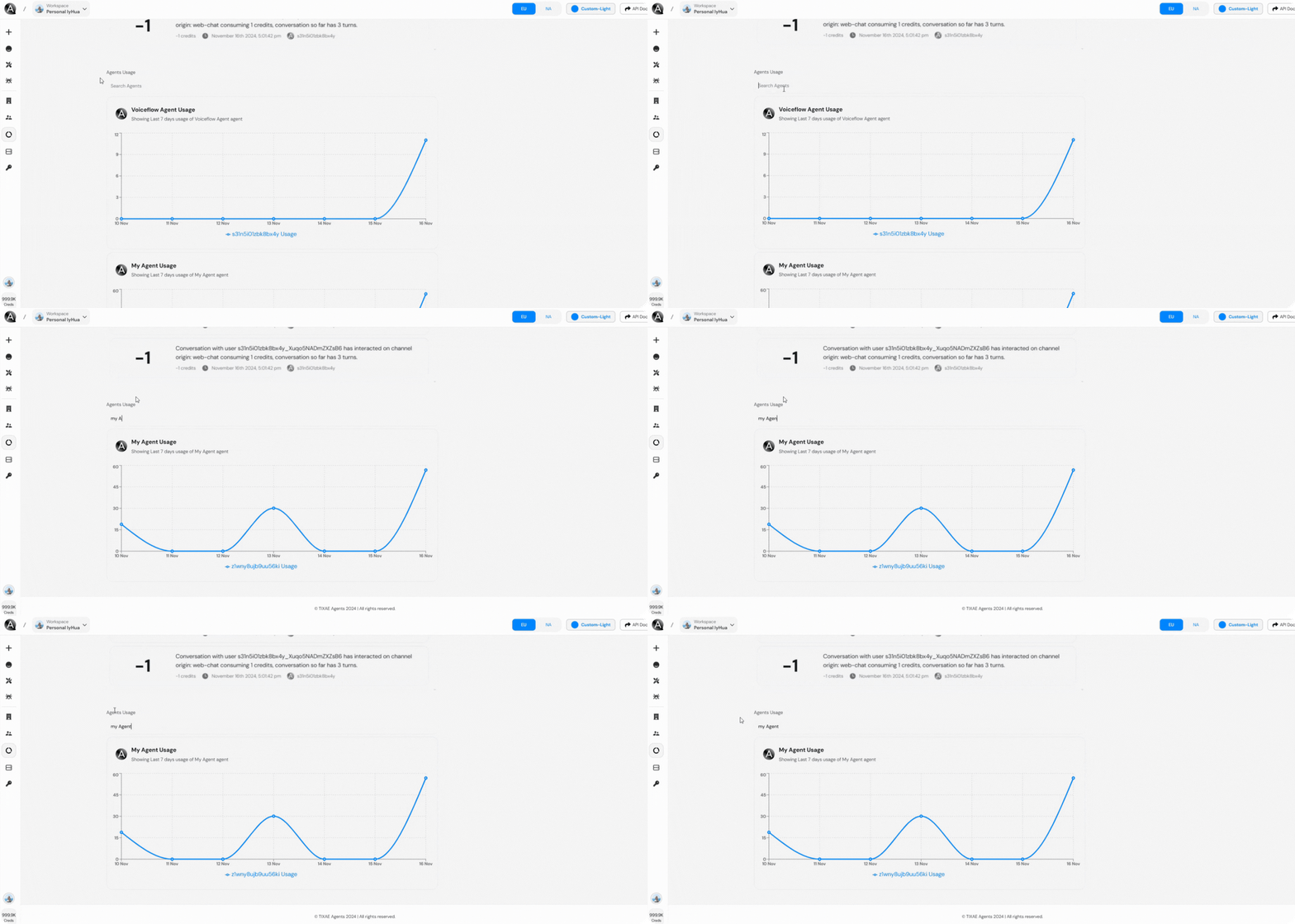 ### **Agent-Specific Usage Graphs**
Individual graphs for each agent show their respective usage patterns over the selected time frame.
These graphs provide granular insights into each agent's performance and token usage.
You can compare these graphs to identify anomalies or spikes in usage.
***
## Customization Options
* **Time Range Selector**: Adjust the time period to view data from the last 24 hours or other custom ranges.
* **Search Logs**: Use the search bar to filter specific logs by agent or user IDs.
Selecting broader time frames may result in longer loading times due to extensive data processing.
### **Agent-Specific Usage Graphs**
Individual graphs for each agent show their respective usage patterns over the selected time frame.
These graphs provide granular insights into each agent's performance and token usage.
You can compare these graphs to identify anomalies or spikes in usage.
***
## Customization Options
* **Time Range Selector**: Adjust the time period to view data from the last 24 hours or other custom ranges.
* **Search Logs**: Use the search bar to filter specific logs by agent or user IDs.
Selecting broader time frames may result in longer loading times due to extensive data processing.